CATALOGUES AND SUPPLIERS Have products to sell?Keep everything organised with GestMark. From your shop, an Excel sheet or your suppliers' price lists: bring products into one catalogue, check costs and stock data, and prepare your online offers more easily.
WHERE DO YOU START? Start with the products you already have. Whether you run a shop, have a file or use several suppliers, choose where to begin. GestMark helps you organise the catalogue.
I run a shop Bring the products in your shop online. I have an Excel file Start with the price list you already use. I use suppliers Bring different supplier lists together. From shop to catalogue Collect product codes, prices and photos from items already in your business.
1 Collect your products2 Complete the details3 Organise the catalogue✓ Your result Your stock becomes easier to find and prepare for online selling.
From file to catalogue Import an Excel or CSV file and find your products together in an organised catalogue.
1 Upload the file2 Review the columns3 Choose products✓ Your result Save time by avoiding retyping products one at a time.
From suppliers to catalogue Collect supplier catalogues, costs and product details to prepare your offers.
1 Choose your lists2 Find products3 Prepare offers✓ Your result Keep your work organised even when sourcing from several suppliers.
FOUR SIMPLE STEPS From a price list to products ready to sell. Import your catalogue, choose products and prepare prices and offers. Four steps, one program.
A SIMPLE GUIDE You don't need to be an expert to start. Follow the four steps as if you were arranging products on the shelves of your own shop. Click and see what changes.
1 Import a list Start with Excel, CSV or a supplier catalogue. 2 Choose products Find the items you want to offer for sale. 3 Prepare listings Organise images, descriptions and prices. 4 Prepare offers Move from organised products to sales channel offers. Where are your products from? Choose a file type to explore an example imported list.
First, put products on a list A price list is simply a sheet containing your products. Each item has details such as a name, a code and the price you pay to buy it.
1 WHAT YOU DO Click Excel, CSV or Supplier. These are three ways to bring a list of items into the program.
2 WHAT GESTMARK SHOWS GestMark reads the information and organises it into a catalogue. You don't need to retype each item.
Click CSV and watch the file name change. Then go to step 2.
A USEFUL WORD: What is a CSV file?+ It's a file containing a table of information, much like an Excel spreadsheet.
shop_prices.xlsx 3 products found
✓ Product code, name and cost recognised
Choose products Choose what to sell. Your choices stay with you in later steps.
Choose what you want to sell You can start with just a few items even if your catalogue contains hundreds. Selecting a product means marking it on your list.
1 WHAT YOU DO Click the air fryer photo to select it. Click it again to remove the selection.
2 WHAT GESTMARK SHOWS The selected-product count changes, and your choice also appears in the GestMark preview on the right.
Select the air fryer, watch the total change, then go to step 3.
A USEFUL WORD: What does selecting mean?+ It's like ticking the items you want to work with on a shopping list.
Select all Table lamp Supplier cost 24,00 € Air fryer Supplier cost 56,00 € Travel backpack Supplier cost 31,00 € 2 products selectedYour price changes also appear in the offer.
Prepare listings Choose a product, edit its details and see your listing take shape.
Prepare the product's digital label A product listing is like a detailed price label. It includes a photo, a name, a short description and the price customers will see.
1 WHAT YOU DO Choose the lamp. Try changing the name or selling price, for example from €39 to €42.
2 WHAT GESTMARK SHOWS GestMark uses the listing information when preparing your offer in the next step.
Change the lamp's selling price, then open step 4 to see it there too.
A USEFUL WORD: Buying cost versus selling price?+ The buying cost is what you pay for an item. The selling price is what customers pay. The difference isn't all profit because there are other expenses.
Table lamp Air fryer Travel backpack
Choose at least one product to continue.
Your price changes also appear in the offer.
Your offer, ready for review Choose a channel, review the price and see the estimated margin.
Decide where to offer the item An offer is your product with its selling price. A marketplace is a large website with many sellers; your online shop is your own website.
1 WHAT YOU DO Click Marketplace or Online store and review the product price.
2 WHAT GESTMARK SHOWS GestMark shows the selling price, the costs included in the example and an estimated margin: what remains after those costs.
Switch between the two channel types, then change the price in step 3 and return here.
A USEFUL WORD: What is estimated margin?+ It's the amount left after subtracting the costs shown here. It isn't your final net profit because other expenses and taxes may apply.
Choose at least one product to continue.
Table lamp Channel Marketplace
Selling price 39,00 €
Total costs 33,00 €
Estimated margin 6,00 €
This preview does not publish offers or submit data.
Start again Next step
Illustrative product photographs. Pexels · Ashley Pomeroy , CC BY 4.0 .
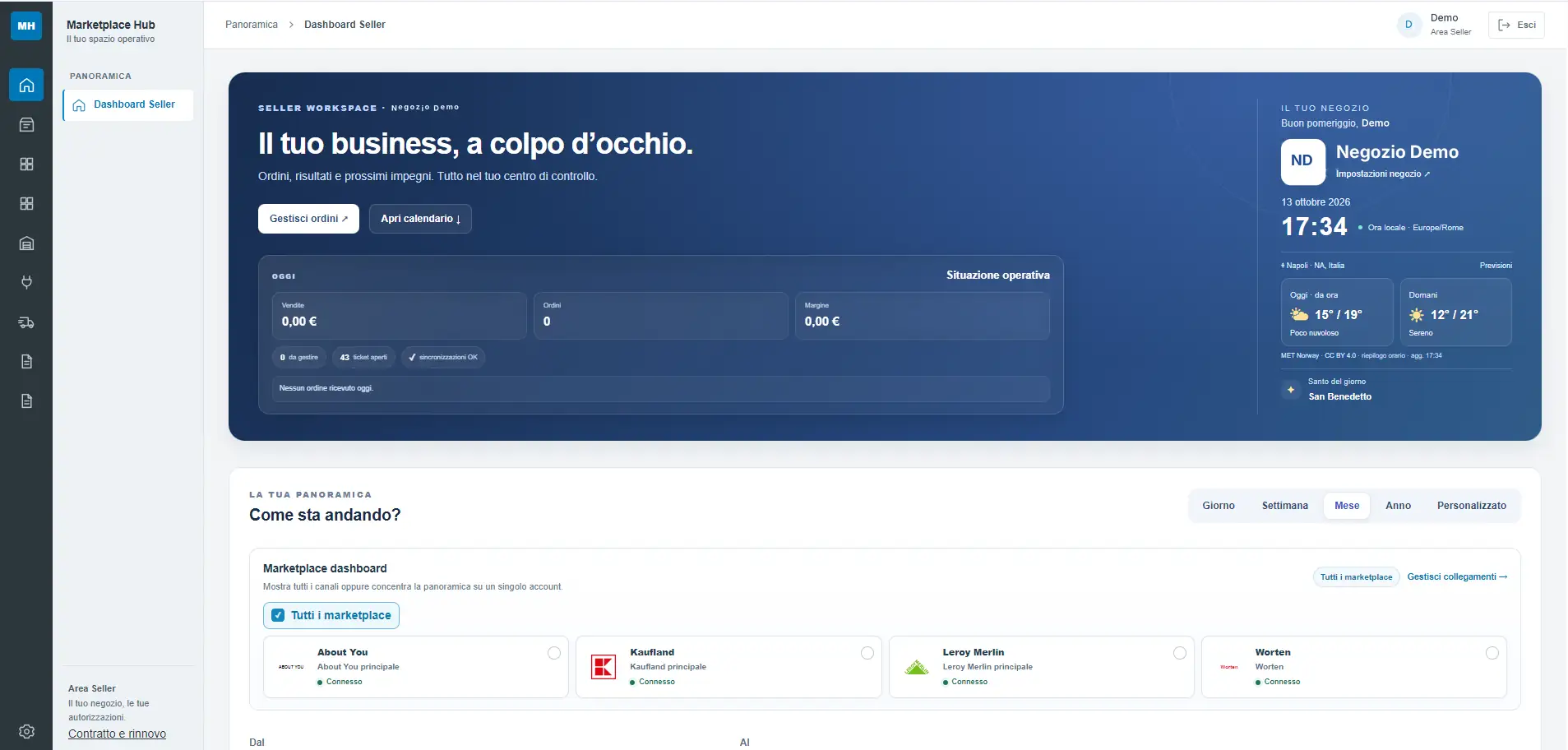
An authentic, anonymised GestMark screenshot.
YOUR SUPPLIERS Work with your supplier catalogues. Explore examples in the GestMark catalogue. Open a supplier profile to learn more about the information and connections to prepare.
Use other suppliers? Tell us which suppliers you use and request a connection tailored to your business.
MADE EASIER
More order, fewer unnecessary steps. Find products faster Search by code, name or supplier and reach the details you need.
Keep costs in view Start with buying prices when setting up your offers.
Organise multiple lists Bring together products from different sources without mixing your work.
Prepare offers easily Move from your catalogue to listings and offer management.
WORK YOUR WAY
A catalogue for your shop and your agency. For your shop Find your own products, prepare prices and work across your sales channels.
Explore Seller plans → For your agency Select the seller and keep their price lists, catalogues and permissions separate.
Explore Agency plans → GET STARTED WITH US Your first onboarding is included. Every GestMark plan includes a first onboarding session to connect your product list to your first sales channel.
FREQUENT QUESTIONS
Answers before you begin. Can I import an Excel price list?+ Yes. Start with supported import formats and organise products, codes and prices in your catalogue.
Can I work with several suppliers?+ Yes. GestMark helps you bring lists together while keeping the source of each product clear.
Can I add products from my shop?+ Yes. Start from items you already have, a file or information collected using GestMark tools.
Can I check costs before selling?+ Find available buying costs in the catalogue and continue to pricing and estimated margins.
Is the first connection included?+ Your first onboarding for a product list and first sales channel is included once with every plan. The marketplace account remains yours.
See all FAQs → GESTMARK You already have the products.Make selling them online easier. Find the plan for your work and organise catalogues, suppliers and offers with GestMark.